How to adjust rubric column width
Hello Marco!
I
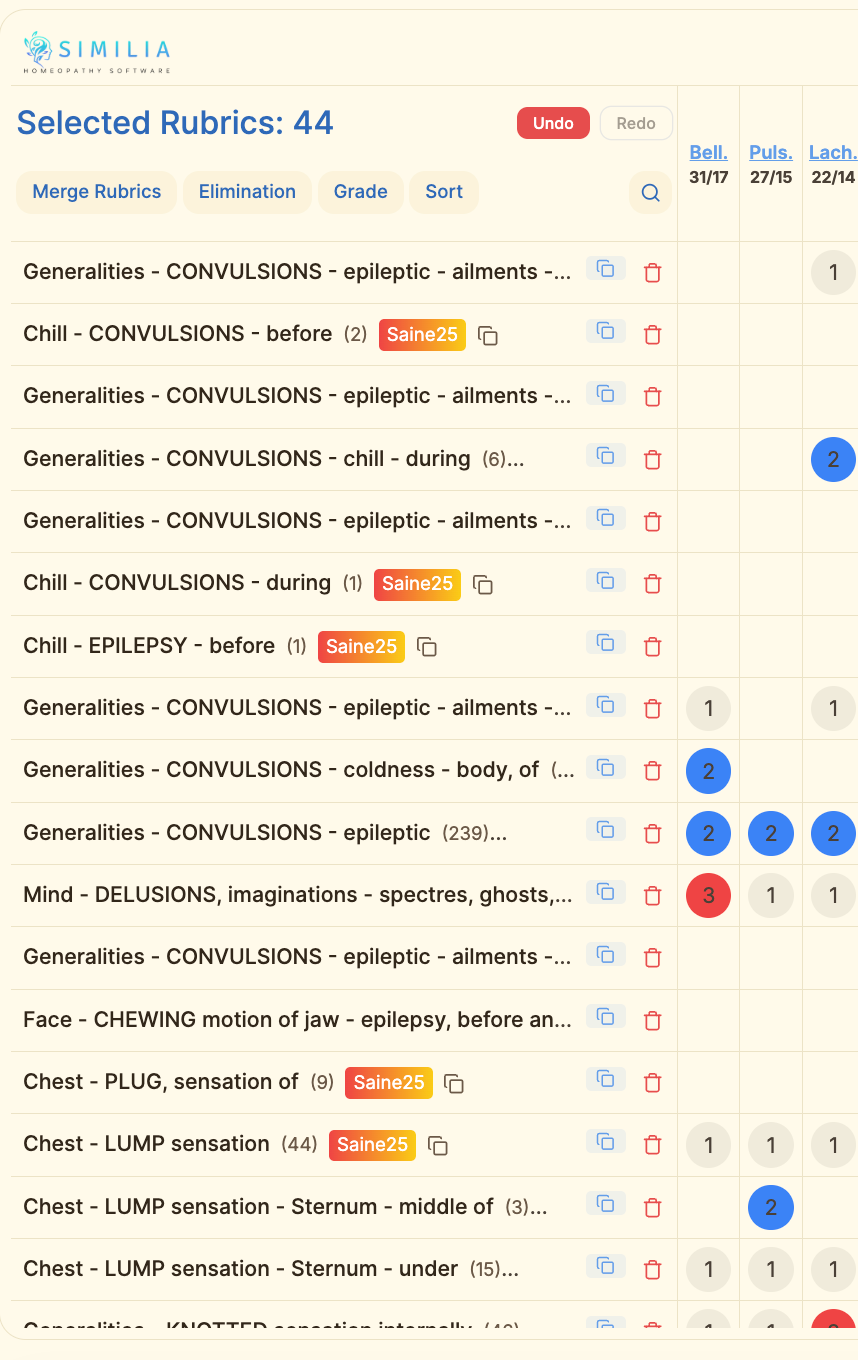
am currently working on a case and find it difficult to see all the necessary information in the rubric list on the left side of the screen.
Specifically, the column feels too narrow. I am unable to see the entire rubric text, the total number of remedies in that rubric, and the abbreviation of the repertory it comes from all at once without the text being cut off.
Is there a setting or a way to manually drag the column to make it wider? If not, could you consider adding a "drag-to-resize" feature or a "compact vs. wide" view toggle in a future update? This would make the repertorization process much smoother when dealing with long rubric paths.
Thank you
Log in to comment and vote
Comments2
Marco Ruggeri
Feb 23
Hi Sergiy, just released this few hours ago, you can now drag to resize :)
Sergiy Druganov
Feb 25
Thank you, Marco!